Tutorial to edit your files even PARAM.SFO

Prerequisite:
PC
This software: PBPunpacker
a ps3 game on the PC
NOTE => In this tutorial I take the example of changing the PS3_SYSTEM_VER line PARAM file of a game, but little change any line in the file of course.
Tutorial:
- Install PBPunpacker downloaded above.
- Go to the folder BLESxxxxx your game then in PS3_GAME
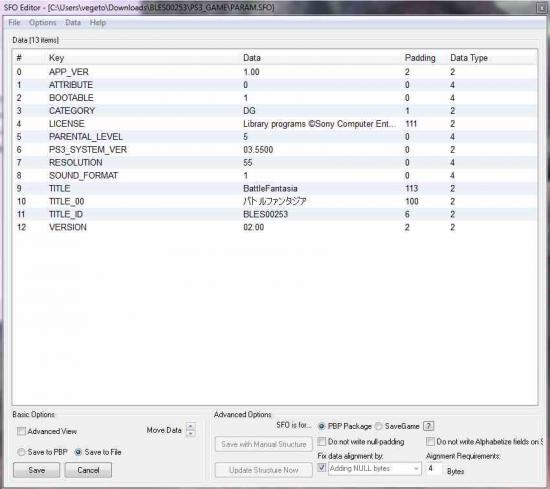
- There you will find the file PARAM must be open with PBPunpacker. (Image below which shows the PARAM opened by PBPunpacker)

- Stand on => PS3_SYSTEME_VER and made a right click and choose edit .

- Delete the numbers that are in the box below and replace DATA: 03.5500 or 03.4100 or 03.5000 following the firmware you then press ENTER on your PC.
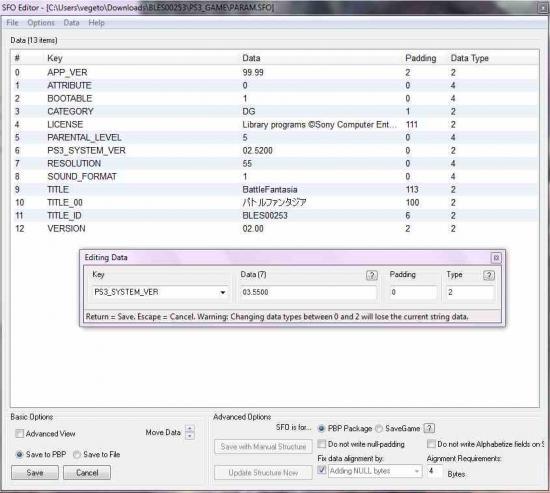
- On the image below I have entered and we can see that the file is modified PARAM 03.5500
- Now you must save the changes to do this, stand on Save to File (ie bottom left) and made a click to the round box is marked in blue and then click SAVE.
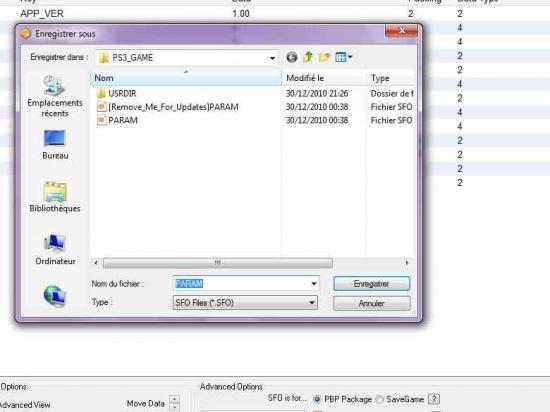
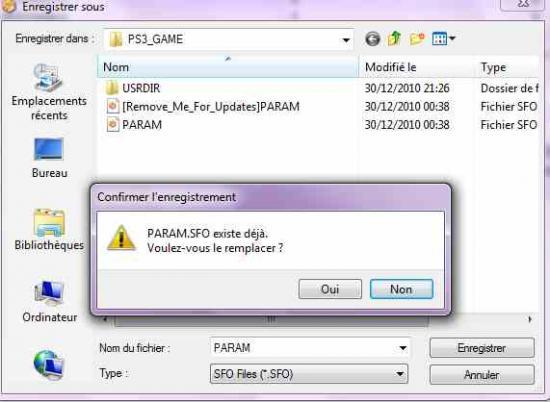
- Click save, it will ask if you want to replace the PARAM and of course put your yes.
- Enjoy! PARAM your changes, you can check by opening the SETUP file that your changes were saved well.


No comments:
Post a Comment